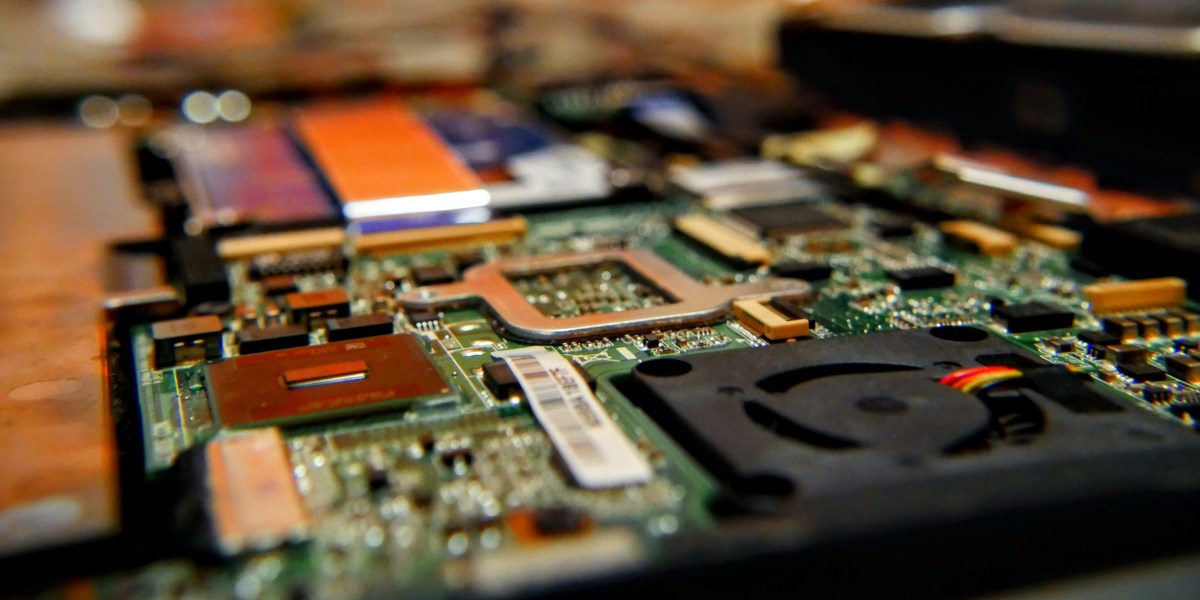





Upgrading to a newer computer is a routine part of modern life. As the new machine comes out of the box, an important question follows close behind: what should happen to the old one? For many people, the instinct is to drop it in the trash. That choice carries real consequences for both personal security and the environment. The sections below walk through the secure and eco-friendly methods for disposing of old computers, with an eye toward protecting sensitive data and the planet alike.
The Hidden Dangers of Improper Computer Disposal
Personal Data Stays at Risk
A personal computer holds a deep store of private information. Financial records, saved passwords, family photos, and confidential documents all live on the hard drive, and together they form a map of someone’s digital life. Deleting files or reformatting the drive does not erase that information for good. With the right software, a determined person can recover those supposedly deleted files, opening the door to identity theft, fraud, and other malicious activity. Truly removing the data takes a secure destruction method, not a quick delete.
The Environmental Impact of E-Waste
Electronic waste, often shortened to e-waste, is the fastest-growing waste stream in the world. The World Health Organization reports that roughly 62 million tonnes of e-waste were generated in 2022. When computers and other electronics end up in landfills, they leach toxic materials such as lead, mercury, and cadmium into soil and water, which threatens both the environment and public health. The Environmental Protection Agency has documented the hazards of e-waste and encourages responsible recycling as a way to reduce those risks.
The Right Way to Retire an Old Computer
Step 1: Securely Erase the Data
The first task is making sure every piece of personal data is permanently wiped from the old machine. Two primary methods handle secure data destruction.
• Software-based data wiping: This approach uses specialized software to overwrite the entire hard drive with random data, which makes the original information unrecoverable. Plenty of free and paid wiping tools meet government and industry standards for data destruction.
• Physical destruction: For the highest level of security, physically destroying the hard drive works best. Drilling holes through the drive, smashing it with a hammer, or handing it to a professional shredding service all do the job.
Step 2: Choose a Certified E-Waste Recycler
With the data secured, the next move is finding a responsible e-waste recycler. A certified recycler handles the old computer in an environmentally sound way, so certification matters. Look for recyclers carrying R2 (Responsible Recycling) or e-Stewards credentials. Those certifications confirm that the recycler follows strict standards for environmental protection, data security, and worker safety. People in Central Texas can turn to specialized services such as electronics recycling in Austin that process old electronics responsibly.
What About Computers That Still Work?
A computer in working condition does not have to be recycled at all. Donating or refurbishing an old machine gives it a second life and helps others in the community. Schools, non-profits, and community centers often need working computers. Before any donation, the owner should securely wipe the data and restore the computer to factory settings. Passing along a working computer helps bridge the digital divide and cuts down on e-waste at the same time.
Common Computer Issues and When to Call It Quits
Deciding when to part with an old computer is rarely simple. Some problems, like the dreaded blue screen of death, can often be fixed with patient troubleshooting. Others, such as extensive water damage, usually signal that the machine has reached the end of its run. When a spill reaches the internals of a laptop, a careful assessment of the damage is the sensible first step before deciding whether repair makes sense.
A Closer Look at the E-Waste Crisis
The volume of e-waste is staggering, and the environmental fallout reaches well past the space it occupies in a landfill. The toxic components inside electronic devices cause real harm when they are handled carelessly. Lead, common in CRT monitors and older circuit boards, can cause neurological damage and poses a particular danger to children. Mercury, found in some flat-panel displays, is a potent neurotoxin that contaminates water sources and builds up in fish, eventually reaching the human food chain. Cadmium, used in many rechargeable computer batteries, is a known carcinogen that can also damage the kidneys. Brominated flame retardants, added to electronic components to prevent fires, disrupt endocrine function and have been tied to developmental problems.
Those are only a handful of the hazardous materials hiding inside old electronics. Dumped in a landfill, these toxins seep into the ground and contaminate soil and groundwater. Burned in an incinerator, they enter the air and add to pollution that endangers nearby communities. That risk is exactly why e-waste belongs out of the regular trash stream and in the hands of facilities equipped to process these materials safely.
A Step-by-Step Guide to Data Destruction
For anyone who wants to take data security into their own hands, here is a closer look at software-based data wiping.
• Choose a data-wiping tool: Several reputable options exist. Free choices include DBAN (Darik’s Boot and Nuke) and KillDisk. Paid tools such as Blancco and Eraser tend to offer more features and certifications.
• Back up important files: Before starting, save any files worth keeping. Once the wipe runs, the data is gone for good.
• Create a bootable drive: Most wiping software runs from a bootable USB drive or CD. The software’s own instructions cover this setup.
• Boot from the drive: Restart the computer and boot from the drive just created. Reaching it may mean adjusting the boot order in the BIOS settings.
• Follow the prompts: The software guides the selection of the target hard drive and the wiping method. A single pass suits most situations, though highly sensitive data may call for multiple passes.
• Let the software run: A full wipe can take several hours depending on drive size and the chosen method. When it finishes, the data is permanently erased.
Giving a Computer a Second Chance
When a computer still runs, donation is a fine way to extend its life and support the community. Beyond schools and non-profits, several organizations specialize in refurbishing and redistributing computers to people who need them.
• The National Cristina Foundation: This group matches donated technology with schools, charities, and public agencies across the country.
• World Computer Exchange: This global non-profit supplies refurbished computers to schools, libraries, and community centers in developing countries.
• Local Free Geek chapters: Many cities host a Free Geek organization that accepts donated computers for refurbishment and community use.
Reaching out to the organization ahead of time is always wise, both to confirm donation guidelines and to make sure the specific computer model can be accepted.
Making the Responsible Choice
Retiring an old computer takes more thought than a trip to the trash can. Securely erasing the data and selecting a responsible disposal method protects the owner from identity theft and helps preserve the environment. Whether the path forward is recycling, donation, or refurbishment, each option represents a sound choice for both the individual and the planet.